Replace the Google TV home screen
Set TS Launcher TV as Home on Google TV, Android TV and TV boxes — with step-by-step guides for Sony, TCL, Xiaomi, Chromecast and Amlogic/Rockchip boxes.
Learn more about Replace the Google TV home screenNew: TS Assistant now speaks 15 languages
TS Launcher TV replaces the default interface on Android TV, Google TV and TV boxes with a clean home screen: 11 layouts, 10,000+ themes, control from your phone and voice commands in English.
Interface preview: focus moves just like when you press the D-pad on your remote.
Features
Designed for remotes, for low-end hardware and for you.
Set TS Launcher TV as Home on Google TV, Android TV and TV boxes — with step-by-step guides for Sony, TCL, Xiaomi, Chromecast and Amlogic/Rockchip boxes.
Learn more about Replace the Google TV home screenDetects your hardware, tones down effects on slower devices and switches to a lighter layout automatically if something goes wrong.
Full, Top tabs, Spotlight, Bento, Dock, Poster shelf, Kids corner… — switch anytime without losing your arrangement.
Free themes plus premium packs of 50: Aurora, Midnight Glass, Tết Rực Rỡ, Neon Arcade…
Learn more about 10,000+ themesD-pad, touchpad, keyboard, app launcher and voice over your local Wi-Fi, paired with a PIN.
“Open YouTube”, “today's news”, “how do I connect a Bluetooth speaker” — just speak naturally in English, and TS Assistant does it and answers in your language (15 languages).
Viewing schedules, time limits, PIN-locked apps and a Kids corner — unlock remotely with TS Remote.
Shows what you were watching and recommended channels from apps that support the Android TV standard.
Choose a built-in wallpaper, your own photo, a subtle animated gradient or an AI-generated wallpaper.
We never sell your data. Voice audio is never stored — only the command text and intent; your app list is only sent along when you give a command.
Learn more about Respects your privacyNever a black screen
Every time it starts, TS Launcher TV checks the brand, model, Android version and memory. If the full interface runs into trouble, the app falls back to Lite and then Safe, so you can always open your apps and settings.
The complete interface with effects, large cover art and recommended channels.
Turns on automatically if Full fails to start or the device is too slow: fewer effects, less memory.
A minimal app list and a shortcut to Settings — there's always a way out.
Layouts
Pick the layout that suits your household — switch anytime in Settings and your app order stays put. The screenshots below are taken straight from TS Launcher TV.
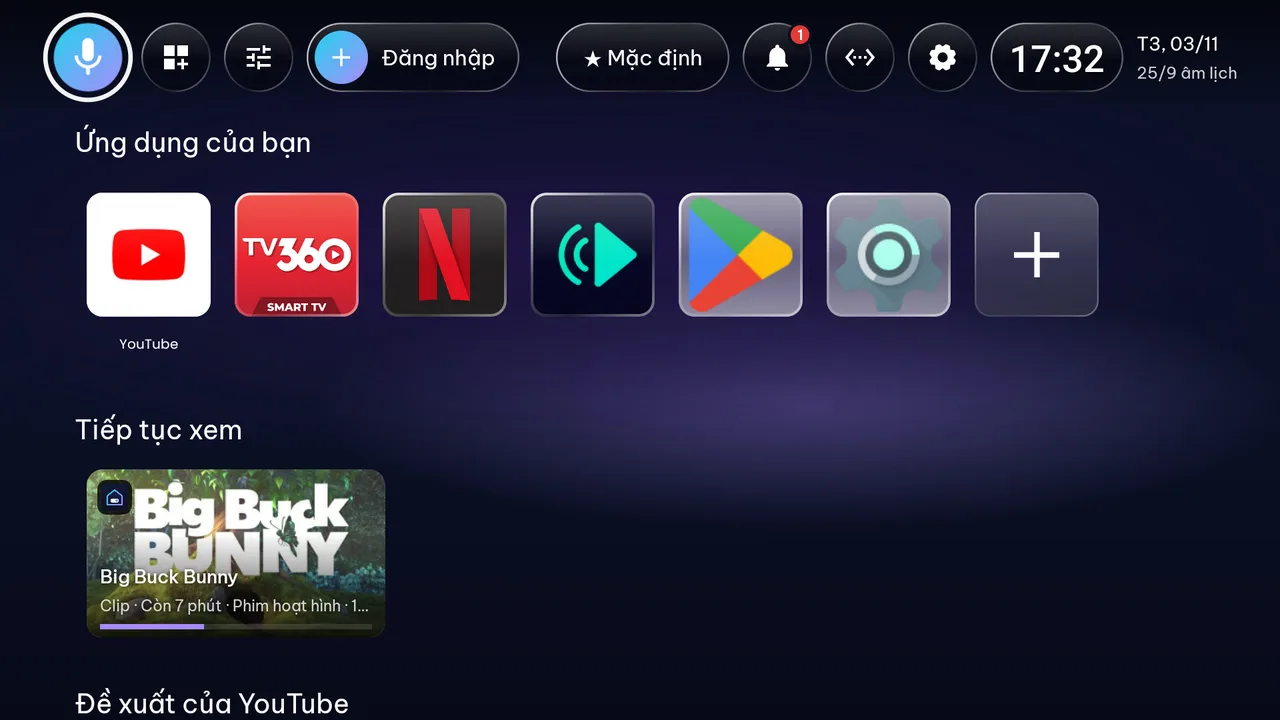
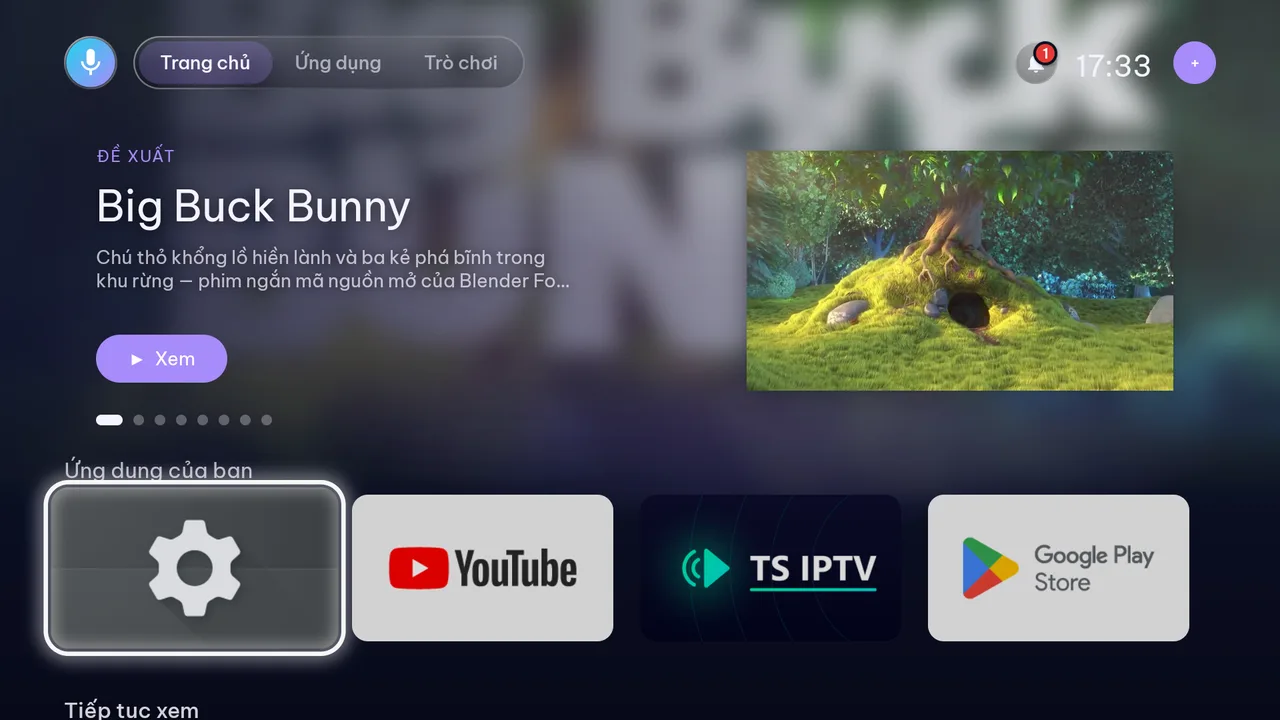
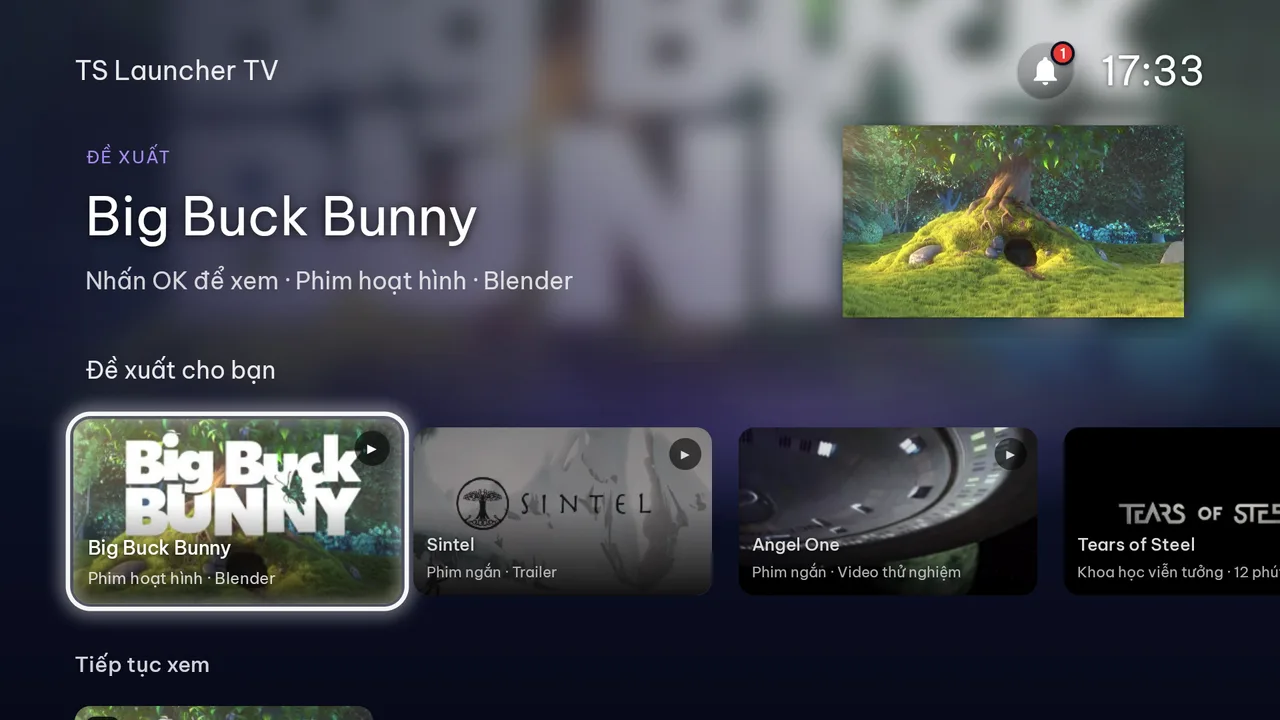
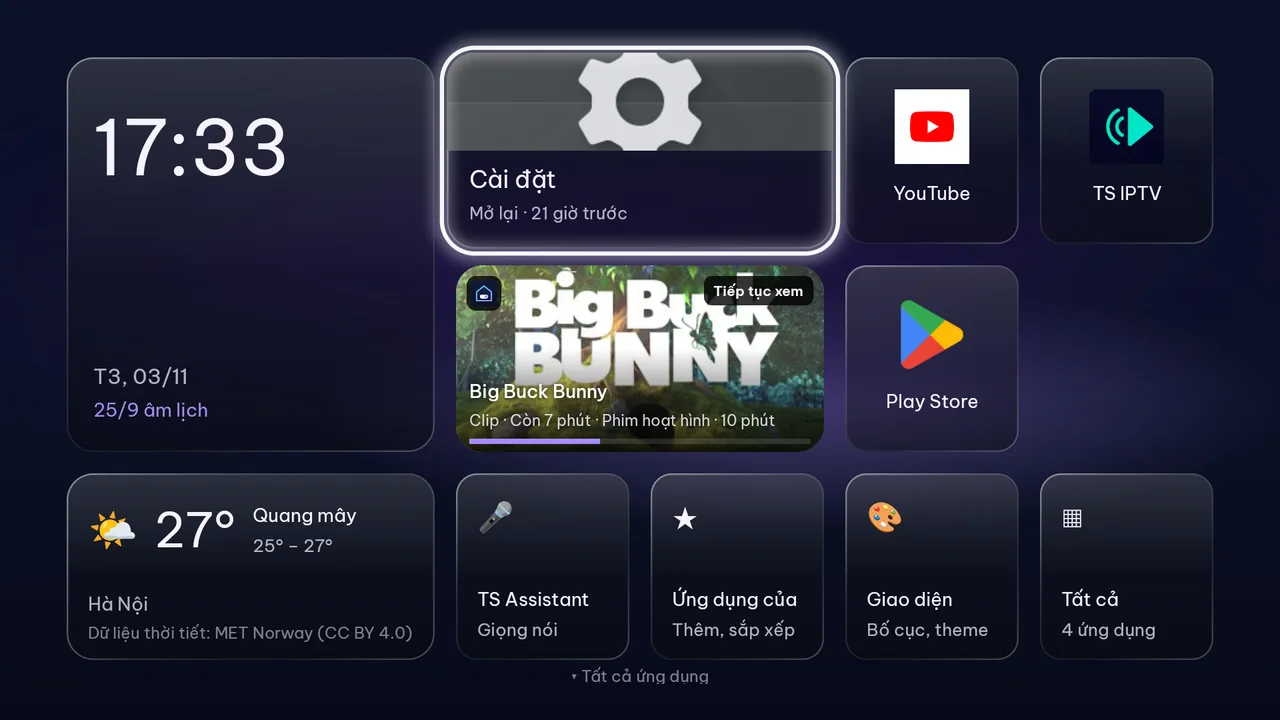
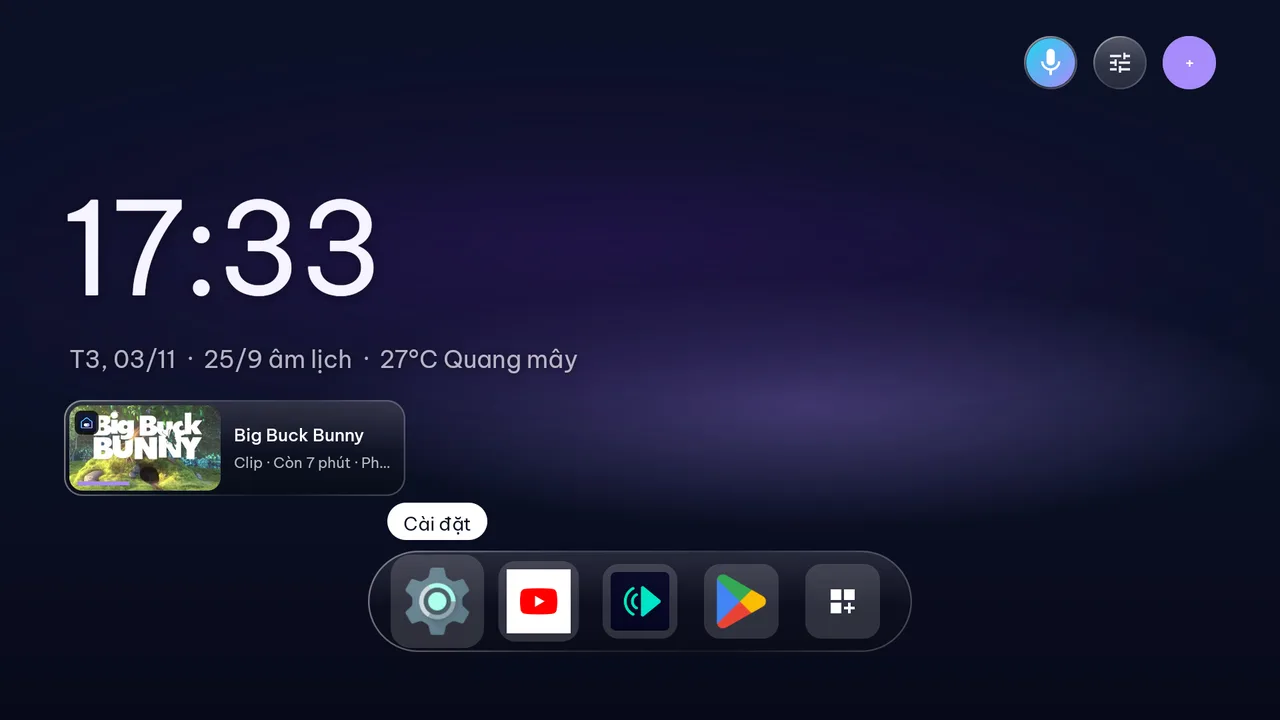
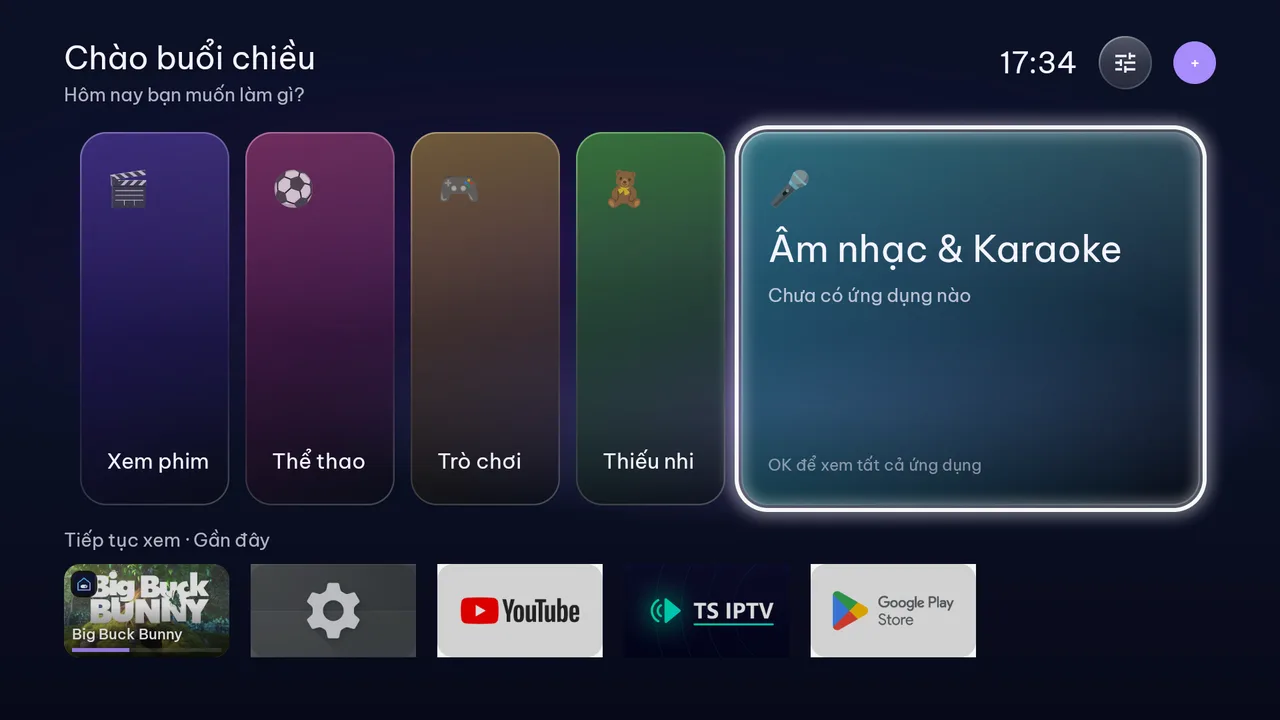
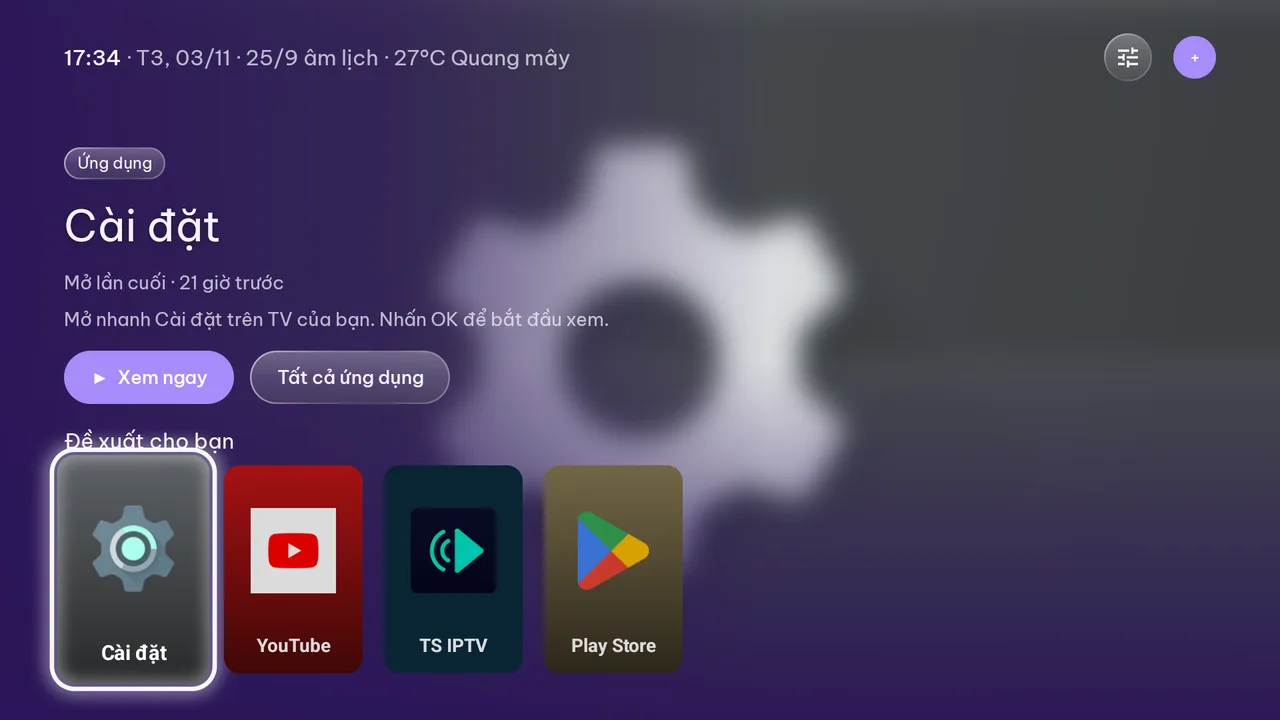
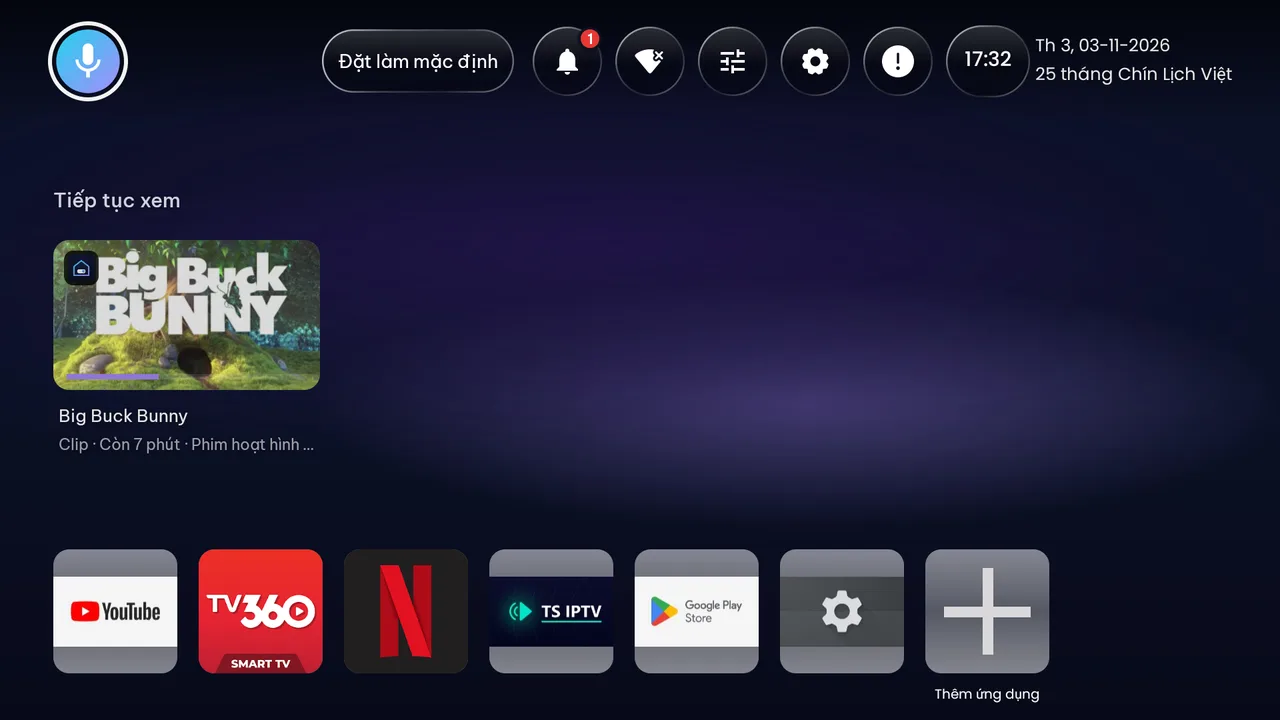
Status bar, Your apps, Continue watching and recommendation rows — as familiar as Android TV.
There's also Grid, Sidebar and Kids corner (shows only parent-approved apps, exit with a PIN).
Theme library
Themes are generated from sets of colors, patterns and corner styles, and bundled into packs of 50. Plenty of packs are free, and premium packs can be bought individually.
TS Remote
Lost the remote, or tired of typing Wi-Fi passwords and movie searches on the TV keyboard? TS Remote handles it all: D-pad, touchpad, keyboard, quick app launch and voice commands in English.
Connect your phone and TV to the same Wi-Fi network at home.
Open TS Remote and it finds TVs running TS Launcher TV on your local network automatically.
Enter the PIN shown on the TV to pair. Only paired devices can control it.
Control commands travel directly between your phone and TV on your local network, never through our servers.
TS Remote is on Android and iPhone — see every featureControlling
Living room TV
TS Assistant
The voice assistant runs on our own servers and understands natural speech in English and 14 other languages: open apps, search YouTube, adjust the volume, get quick answers, catch up on the news and follow step-by-step how-tos.
Offline commands (opening apps, volume, navigation) are included in every plan, even Free; questions that need AI have a daily limit based on your plan. Audio is never stored — only the command text and intent; your app list is only sent along when you give a command, so app names match correctly.
Your TV doesn't recognize speech? See how to turn it on — or use the mic in TS Remote. The Pro plan also adds server-side speech recognition.
Listening…
Hold the mic button on your remote or in TS Remote
“Open YouTube”
Opening YouTube
Comparison
Every launcher has its strengths. Here's a quick comparison of the key points so you can decide for yourself.
| Feature | TS Launcher TV | Stock Google TV launcher | Projectivy Launcher | FLauncher |
|---|---|---|---|---|
| Replaces the home screen | Yes | Default | Yes | Yes |
| Built-in layouts | 11 layouts | Fixed | Highly customizable | Row-based |
| Theme library | 10,000+ themes | Not included | Custom look | Wallpapers |
| Automatic Lite / Safe mode on errors | Yes | Not included | Not included | Not included |
| English interface & support | Yes | Yes | Partial | Partial |
| Voice assistant | TS Assistant (15 languages) | Google Assistant | Not included | Not included |
| Phone remote app | TS Remote | Google TV app | Not included | Not included |
| PIN-protected kids lock | Yes | Kids profile | Yes (Premium) | Not included |
| Open source | Not included | Not included | Not included | Yes |
Unsupported devices: Amazon Fire TV doesn't allow replacing the home screen (Fire OS blocks third-party launchers) — you can only use TS Launcher TV as a regular app. Samsung (Tizen), LG (webOS), VIDAA and Coolita TVs don't run Android, so none of the launchers in this table can be installed on them.
Information about other products is based on public documentation at the time of writing (November 2026) and may vary by version and device. Product names belong to their respective owners; TS Launcher TV is not affiliated with them.
Pricing
The free version is enough to replace your home screen and comes with TS Assistant. Plus is a one-time purchase that unlocks every layout and theme, Kids Lock and backup; Pro adds a more powerful AI assistant and server-side speech recognition. Every plan works on 3 TVs.
Everything you need day to day, on any TV
$0
Free forever
Pay once, customize everything
$4.99one-time
₫99,000 · one-time
A more powerful AI assistant for the whole family
$14.99/year
₫349,000/year
7-day free trial when you subscribe in the Google Play app
Every plan works on up to 3 TVs signed in to the same account. In the Google Play app, every purchase goes through Google Play Billing; on the website, you pay once per period with no automatic renewal. Monthly/yearly billing applies to Pro only. Individual theme packs (50 themes each) cost $0.99–$1.99.
FAQ
Yes. Depending on your device, you can choose TS Launcher TV as the default Home app in Settings, turn on the “TS Home Button” Accessibility Service so the HOME button opens TS Launcher TV, or use ADB to disable the stock launcher. The Guide has step-by-step instructions for Sony, TCL, Xiaomi, Chromecast and TV boxes.
Free, no credit card needed. Install it on your TV from Google Play, then get TS Remote for your phone.
On your TV: open Google Play and search for “TS Launcher TV”. Once installed, see the guide to setting it as your home screen.